English | 简体中文 | 日本語 · ⬅ Back to overview
You can follow these steps to activate Tencent RTC-Engine product service and create an application with the default trial version.
-
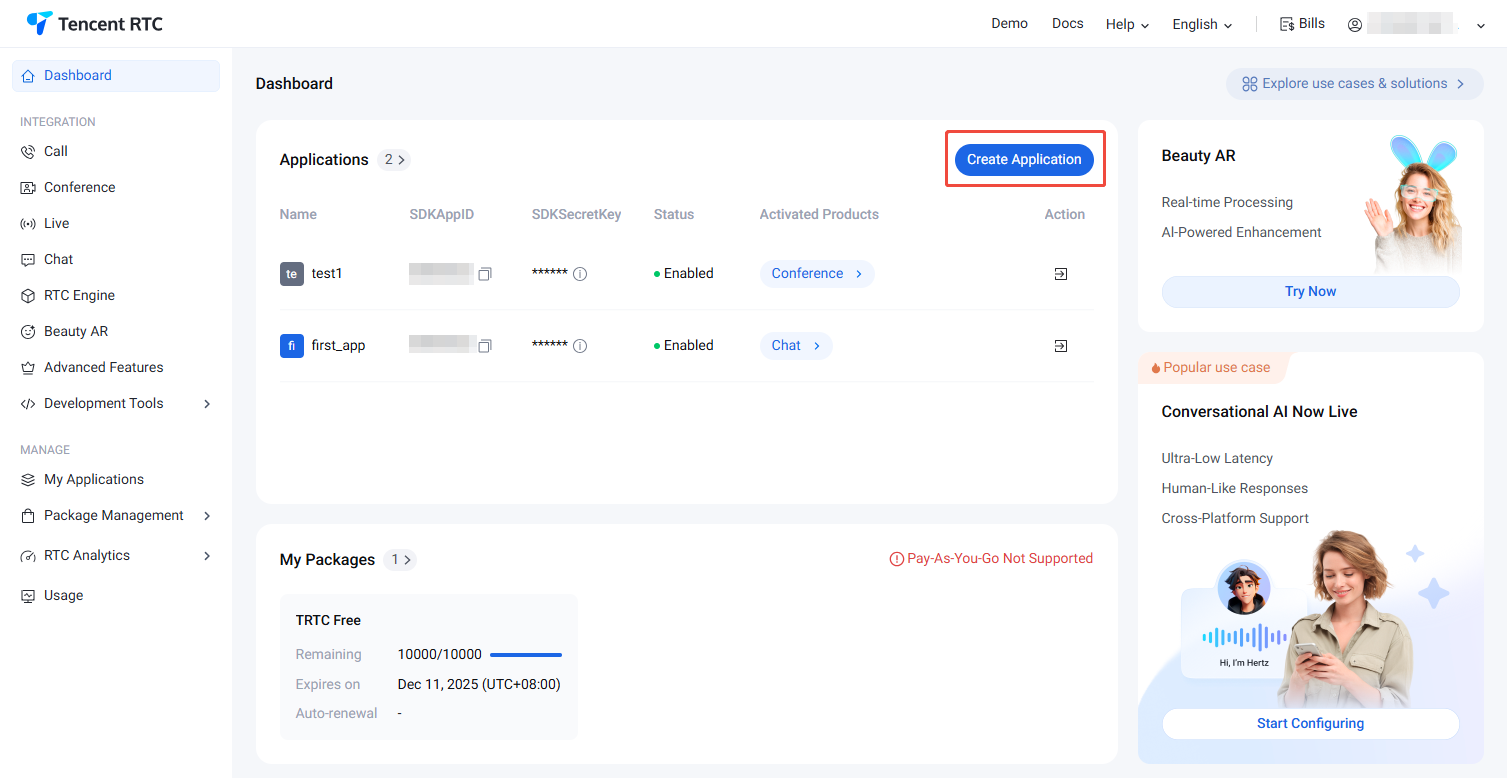
Sign in to the Tencent RTC console and click Create Application.
-
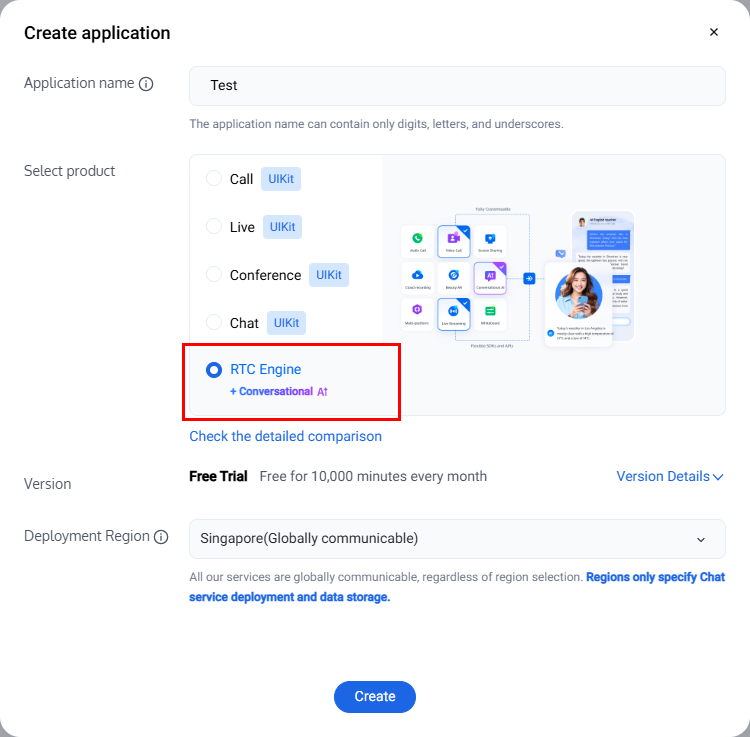
In the pop-up dialog, enter your Application Name, select the Live Streaming / Voice Chat Room (TUILiveKit) scenario, tick Claim 7-day free trial, and click Create Application.
Note:
Once the trial edition is activated, all audio/video calling capabilities will be unlocked.
-
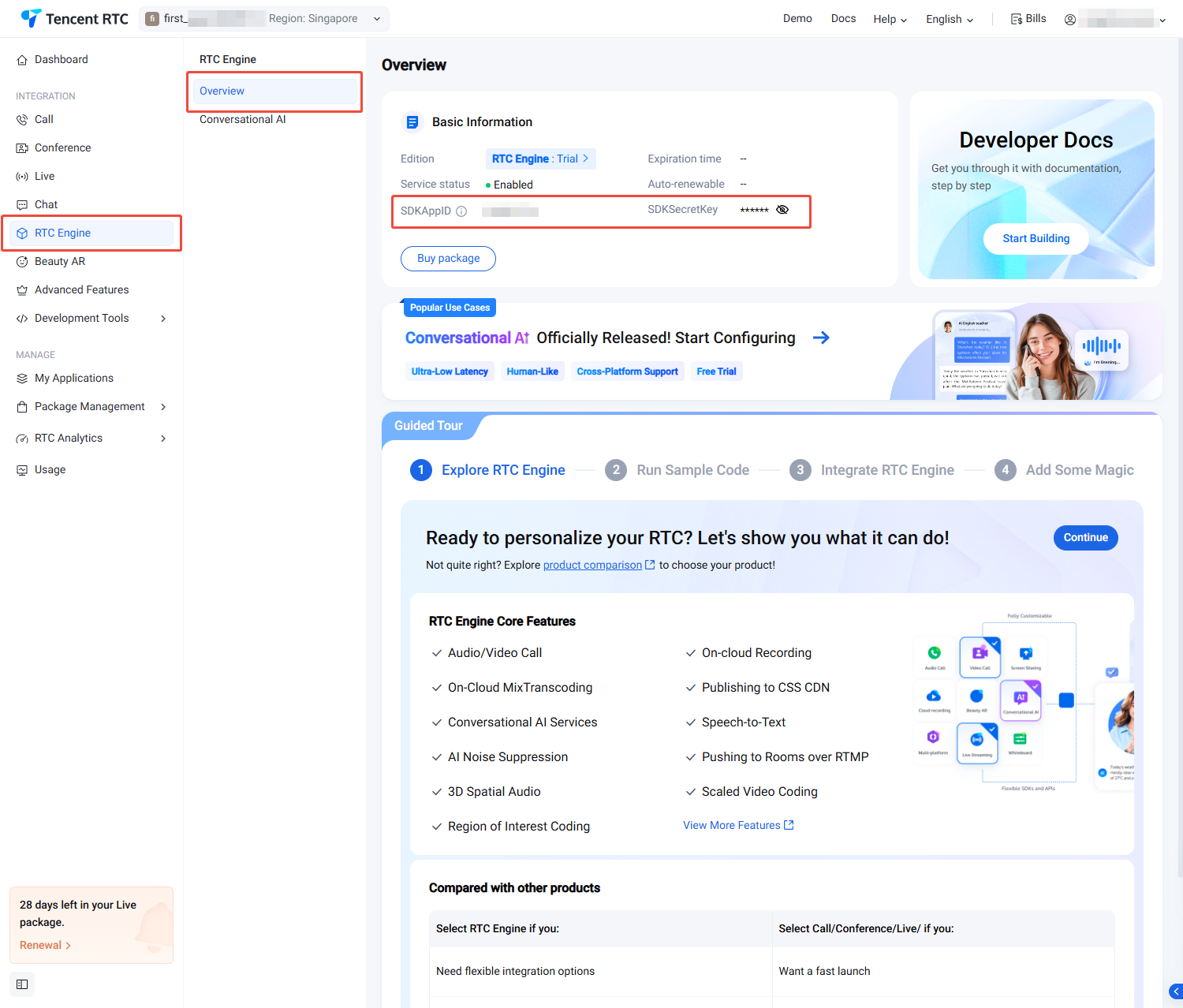
The application is created successfully. Enter the application management page — the 7-day AtomicLive free trial is now active. On this page you can see the trial's basic information, including service status, version details, feature list, and expiration date. The
SDKAppIDandSDKSecretKeyshown here will be used in later steps. -
If the trial edition of your current
SDKAppIDhas expired, click Version Details, then click Renew Trial in the pop-up dialog to consume the second free trial slot and extend the trial by another 7 days.Caution:
Extending the trial via Renew Trial will consume one free trial slot.
Note: The general availability (GA) release is coming soon. Stay tuned.