


The most comprehensive digital archive and technical resource for Classic Mini enthusiasts worldwide (1959-2000). Free, open source, and designed to be permanently accessible.
Explore the website »
Report Bug
·
Request Feature
·
Support Server Costs
Table of Contents
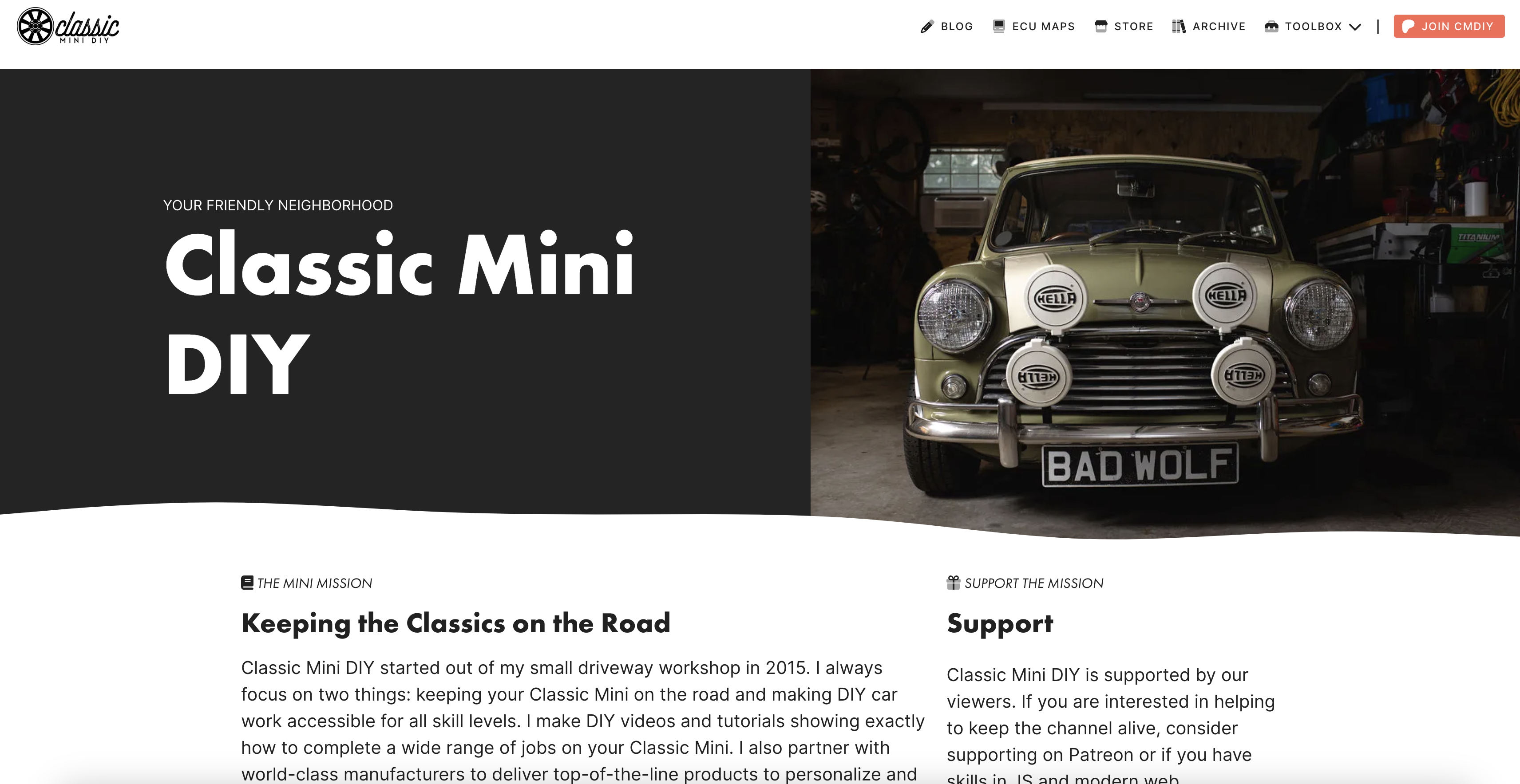
Classic Mini DIY is a comprehensive web application serving as both a toolkit and permanent archive for Classic Mini enthusiasts. The project combines technical calculators, historical documentation, user profiles, a community contribution system, and AI-powered assistance to create the most complete digital resource for Classic Mini owners worldwide.
The platform is designed to be both a real-time working tool for mechanics and enthusiasts, and a permanent digital archive ensuring Classic Mini knowledge is preserved for future generations. All content is backed up across multiple cloud locations and designed to remain accessible indefinitely.







Core Technologies:
- Nuxt 4.1.2 - Vue.js framework with server-side rendering
- Vue 3 - Composition API with
<script setup>syntax - TypeScript - Strict type checking throughout
- TailwindCSS 4.1.13 - Utility-first CSS with @tailwindcss/vite
- Nuxt UI - Component library for forms, modals, accordions, and more
- Font Awesome 6 - Icon library (loaded via CDN kit)
- Supabase - Authentication, database, and file storage
- AWS Services - S3 storage, DynamoDB (legacy data)
- LangGraph SDK - AI-powered conversational assistance
- Highcharts - Interactive data visualization
- Fuse.js - Advanced fuzzy search
- PostHog - Product analytics and event tracking
- Mapbox - Location autocomplete for user profiles
Infrastructure:
- Vercel - Serverless hosting with global edge deployment
- Supabase - PostgreSQL database, Auth, Edge Functions, Storage
- AWS S3 - Intelligent tiering storage with versioning for archive assets
- PostHog - Analytics (replaced Google Analytics and Vercel Analytics)
- Bun - Package manager and script runner
- User Dashboard - Centralized hub for submissions, account settings, and activity
- Profile System - Avatar uploads, social links, location, privacy controls shared across the CMDIY ecosystem
- 8 Interactive Technical Calculators - Compression ratio, gearbox, SU carburetors, and more
- Comprehensive Digital Archive - Workshop manuals, wiring diagrams, historical documents (powered by Supabase)
- Community Contributions - Submit wheels, colors, registry entries, and documents with suggest-edit modals on every detail page
- AI-Powered Assistant - LangGraph-based conversational AI with MCP tool integration
- 10-Language Support - Full internationalization with browser detection
- Progressive Web App - Offline functionality and mobile-optimized experience
- Admin Moderation - Unified queue for reviewing all submission types with user management
- ECU Maps Store - Multi-platform tuning maps with GitHub integration
- Advanced Search - Fuse.js powered fuzzy search across all content
Classic Mini DIY is part of a broader ecosystem of applications sharing a single Supabase backend:
| Property | Description | URL |
|---|---|---|
| Classic Mini DIY (this repo) | Knowledgebase, archive, and community site | classicminidiy.com |
| The Mini Exchange | Classic Mini parts/vehicles marketplace | theminiexchange.com |
| Classic Mini Toolbox | iOS and Android mobile apps | App Store / Google Play |
All properties share authentication via Supabase with custom domain auth.classicminidiy.com. Users sign in once and their profile, avatar, and preferences carry across all platforms. Sustaining Members ($1.99/mo via App Store / Google Play) receive premium features across all properties.
- Node.js v24 or higher
- Bun (package manager) - install instructions
- Git for version control
-
Clone the repository
git clone https://github.com/ClassicMiniDIY/classicminidiy.git cd classicminidiy -
Install dependencies
bun install
-
Start development server
bun run dev
-
Open your browser Navigate to
http://localhost:3000to see the application
Create a .env file in the root directory with the following variables:
# Supabase
SUPABASE_URL=your_supabase_project_url
SUPABASE_KEY=your_supabase_anon_key

# AWS Credentials (for legacy data and S3 storage)
dynamo_id=your_dynamodb_access_key
dynamo_key=your_dynamodb_secret_key
s3_id=your_s3_access_key
s3_key=your_s3_secret_key

# External APIs
githubAPIKey=your_github_api_key
youtubeAPIKey=your_youtube_api_key
validation_key=your_validation_key

# AI Services
NUXT_LANGGRAPH_API_URL=your_langgraph_api_url
NUXT_LANGSMITH_API_KEY=your_langsmith_api_key

# Database
POSTGRES_URL=your_postgresql_connection_string

# Analytics
POSTHOG_PUBLIC_KEY=your_posthog_key
POSTHOG_HOST=https://us.i.posthog.com

# Mapbox (profile location autocomplete)
NUXT_PUBLIC_MAPBOX_TOKEN=your_mapbox_token

# Public URLs
NUXT_PUBLIC_SITE_URL=https://classicminidiy.com
s3Base=https://classicminidiy.s3.us-east-1.amazonaws.combun run dev # Start development server
bun run build # Build for production
bun run start # Preview production build
bun run format # Format code with Prettier
bun run test # Run unit tests with VitestThe technical toolbox provides interactive calculators and reference tools essential for Classic Mini maintenance and modification:
-
Compression Ratio Calculator (
/technical/compression)- Engine compression calculations with piston, crankshaft, head gasket configurations
- Real-time calculations with visual feedback
- Support for custom measurements and part specifications
-
Gearbox Calculator (
/technical/gearing)- Gear ratio calculations and speed computations
- Multiple gearbox configurations
- RPM and speed analysis tools
-
SU Carb Needle Configurator (
/technical/needles)- Interactive needle comparison with Highcharts visualization
- Comprehensive needle database
- Performance curve analysis
-
Chassis Number Decoder (
/technical/chassis-decoder)- Historical chassis number database and identification
- Year and model identification
- Production date estimation
-
Engine Number Decoder (
/technical/engine-decoder)- Engine code interpretation and specifications
- Performance data and compatibility information
- Common Clearances Reference (
/technical/clearance) - Comprehensive clearance specifications by system - Parts Equivalency Database (
/technical/parts) - Cross-reference part numbers between brands - Torque Specifications Chart (
/technical/torque) - Complete torque specification database
The archive system preserves and organizes historical Classic Mini documentation. In v8.0.0, the entire archive was migrated from DynamoDB/S3/@nuxt/content to Supabase with unified document pages, collection support, filters, search, and sort.
- Workshop Manuals (
/archive/manuals) - Complete digitized workshop manuals with full-text search - Electrical Wiring Diagrams (
/archive/electrical) - Positive and negative ground systems by year and model - Historical Advertisements (
/archive/adverts) - Period advertising materials and brochures - Vendor Catalogues (
/archive/catalogues) - Historical parts catalogs and documentation - Tuning & Modifications (
/archive/tuning) - Performance modification guides and specifications
- Document Browser (
/archive/documents) - Unified listing of all archive documents with filters, search, and sort - Collection Pages (
/archive/documents/collection/[slug]) - Grouped document collections - Document Detail Pages (
/archive/documents/[slug]) - Rich metadata, download links, and suggest-edit capability - 301 Redirects - All legacy document URLs redirect to new unified paths
- Registry System (
/archive/registry) - User-submitted Classic Mini registrations with admin approval - Wheel Fitment Library (
/archive/wheels) - Comprehensive wheel database with user photos - Color Database (
/archive/colors) - Historical paint colors with hex values and user contributions - Engine Specifications (
/archive/engines) - Complete engine database with performance specs - Vehicle Weights Reference (
/archive/weights) - Weight specifications by model and year
New in v8.0.0 — a centralized user experience:
- Submissions Management - View, filter, and expand all your submissions (wheels, colors, registry, documents) with detailed status tracking
- Submission Details - Click any submission to expand and see full details inline
- Activity Summary - At-a-glance counts of total submissions and their statuses
- Quick Actions - Links to contribute, edit profile, and manage account
- Public Profile - View your public-facing profile with avatar, display name, location, and activity summary
- Profile Editing (
/profile/edit) - Full profile management:- Avatar upload with crop and preview
- Display name
- Mapbox-powered location autocomplete (city, state, country format)
- Bio / about section
- Social links (Instagram, Facebook, YouTube, website)
- Privacy toggles (public profile, show vehicles)
- Shared Across Ecosystem - Profile data is shared with The Mini Exchange and mobile apps via Supabase
- Contributor profile pages showing submission activity and social links
- Welcome Page (
/welcome) - First-time users are redirected here after auth callback for profile setup - Unified Account Messaging - Login page explains the shared CMDIY ecosystem account
New in v8.0.0 — a unified contribution hub replacing scattered submission pages:
- Type Selection Grid - Choose from wheel fitment, color, registry, or document contributions
- Self-Contained Forms - Each contribution type has its own page with file upload support
- Suggest-Edit Modals - Every archive detail page (documents, colors, wheels) has an inline suggest-edit button
- Contribute CTAs - Archive hub and section listing pages prominently feature contribution calls-to-action
/contribute/wheel- Wheel fitment data with photo uploads/contribute/color- Paint color submissions with hex values/contribute/registry- Classic Mini registration with photos/contribute/document- Document submissions with file uploads and collection assignment
- Conversational AI - LangGraph-powered assistant with Classic Mini expertise
- Model Context Protocol (MCP) Server - Direct integration with calculators (compression, gearbox, chassis decoder)
- Streaming Responses - Real-time AI chat with persistent conversation threads
- Context Awareness - Understanding of Classic Mini technical specifications and archive content
- Moderation Queue (
/admin/queue) - Single queue for reviewing all submission types (wheels, colors, registry, documents) with approve/reject workflows - User Management (
/admin/users) - User administration with trust levels - Registry Review (
/admin/registry/review) - Dedicated registry submission review - Wheel Review (
/admin/wheels/review) - Dedicated wheel submission review - Chat Threads - Admin panel for reviewing AI chat threads
- Dashboard - Queue counts and quick access to all admin functions
- Multi-ECU Support - Haltech, Speeduino, MegaSquirt, and more
- GitHub Integration - Real-time repository updates and release management
- Feature Matrix - Ignition maps, fuel maps, VE tables, target AFR configurations
- Promotional Banners - HeroPromo component with auto-rotating promotional carousel
- Recent Videos - YouTube channel integration
- Community Stats - Live statistics from YouTube and GitHub
- Mobile App Promotion - Native app download CTAs
The Classic Mini DIY platform exposes 50+ REST API endpoints:
GET /api/decoders/chassis- Chassis number decoding by year rangesGET /api/decoders/engine- Engine code interpretation and identificationPOST /api/mcp/compression- MCP integration for compression calculatorPOST /api/mcp/gearbox- MCP integration for gearbox calculatorPOST /api/mcp/chassis-decoder- MCP integration for chassis decoding
GET /api/wheels/- Wheel fitment database with image handlingGET /api/registry/- User registration system with approval workflowGET /api/colors/- Paint color database with user contributionsGET /api/engines/- Engine specifications and performance dataGET /api/weights/- Vehicle weight specifications
POST /api/langgraph/- AI chat integration with streaming responsesGET/POST /api/mcp/- Model Context Protocol server for tool integration
GET /api/admin/registry/review- Registry submission review and approvalGET /api/admin/wheels/review- Wheel submission review and managementGET /api/admin/queue/- Unified moderation queue (list, approve, reject)GET /api/admin/users/- User management and trust levelsPOST /api/admin/auth- Authentication and session management
GET /api/github/- Repository statistics, commits, and release dataGET /api/youtube/- Channel statistics and video integrationGET /api/maps/- ECU maps store with GitHub integration
GET /api/app-config.json- Mobile app backend rollout configuration
- Supabase - Auth, database, storage, and Edge Functions
- GitHub API - Repository statistics, commits, releases
- YouTube API - Channel statistics, video feeds
- AWS Services - S3 storage, DynamoDB (legacy)
- Mapbox - Geocoding for location autocomplete
- PostHog - Product analytics
Classic Mini DIY supports 10 languages with comprehensive internationalization via @nuxtjs/i18n:
| Language | Code | Status |
|---|---|---|
| English | en |
Primary / Reference |
| German | de |
Most comprehensive |
| Spanish | es |
Complete |
| French | fr |
Complete |
| Italian | it |
Complete |
| Portuguese | pt |
Complete |
| Russian | ru |
Complete |
| Japanese | ja |
Complete |
| Chinese | zh |
Complete |
| Korean | ko |
Complete |
- Browser Detection - Automatic language detection on first visit
- Persistent Preferences - Cookie-based language memory
- Dynamic Switching - Real-time language changes via the language switcher component
- SEO Optimization - Language-specific meta tags,
hreflangattributes, and localized URLs - Component-Level i18n - Each component/page uses
<i18n>blocks for scoped translations
Contributions are what make the open source community such an amazing place to learn, inspire, and create. Any contributions you make are greatly appreciated.
-
Fork the Repository
git clone https://github.com/ClassicMiniDIY/classicminidiy.git
-
Create a Feature Branch
git checkout -b feature/AmazingFeature
-
Make Your Changes
- Follow the existing code style and conventions
- Use Vue 3 Composition API with
<script setup>syntax - Use Nuxt UI components for UI elements
- Use Font Awesome 6 icons only (no Heroicons or Lucide)
- Add translations for new text content across all 10 locales
- Add tests for new functionality
-
Test Your Changes
bun run build bun run test bun run format -
Commit Your Changes
git commit -m 'feat: add some amazing feature' -
Push to Your Branch
git push origin feature/AmazingFeature
-
Open a Pull Request into
main
- Focus on Classic Mini Content - Ensure contributions are relevant to Classic Mini enthusiasts
- Document Changes - Update relevant documentation and comments
- Test Thoroughly - Verify functionality across different devices and browsers
- Follow Design Patterns - Use Nuxt UI components, TailwindCSS, and existing patterns
- Consider Internationalization - Add translation keys for new text content in all 10 locales
- Accessibility - Follow WCAG 2.2 AA standards
You don't need to write code to contribute! Visit classicminidiy.com/contribute to submit:
- Wheel fitment data and photos
- Paint color information
- Classic Mini registry entries
- Workshop manuals and historical documents
The application is deployed on Vercel with the following configuration:
# Build the application
bun run build

# Preview the production build locally
bun run start- Node.js v24+
- Bun package manager
- Install Command:
bun install --frozen-lockfile - Build Command:
bun run build - Output Directory:
.nuxt/dist - Environment Variables: See Environment Setup
- Server-Side Rendering - Pre-rendered pages for optimal SEO and performance
- Code Splitting - Optimized bundle sizes with manual chunks
- Image Optimization - WebP and AVIF formats with responsive sizing
- PWA Caching - Service worker with intelligent caching strategies
- Edge Functions - Global distribution for API routes
- CDN - S3 static assets with intelligent tiering
- Console Stripping -
drop_console: truein production builds
- Bug Reports - GitHub Issues
- Feature Requests - GitHub Issues
- Discussions - GitHub Discussions
Help keep the servers running and the project growing:

Your support helps cover:
- Server hosting and Supabase costs
- Database and storage fees
- CDN and bandwidth costs
- Development tools and services
- Classic Mini DIY YouTube - Video tutorials and builds
- The Mini Exchange - Classic Mini marketplace
- Classic Mini Toolbox - iOS and Android mobile apps
- Seven Mini Parts - SU needle charts and technical specifications
- MintyLamb - Original needle configurator inspiration
- MiniColours.co.uk - Color reference database
- miniweights.co.uk - Vehicle weight specifications (archived)
- mk1-performance.com - Historical archive content (archived)
- Classic Mini Forums - Technical knowledge and specifications
- User Submissions - Registry entries, wheel photos, color contributions, and documents
- Community Feedback - Bug reports, feature requests, and improvements
- Nuxt - Vue.js framework
- Nuxt UI - Component library
- TailwindCSS - Utility-first CSS
- Supabase - Backend-as-a-service
- Highcharts - Data visualization
- Fuse.js - Fuzzy search
- LangGraph - AI agent framework
- PostHog - Product analytics
- Font Awesome - Icon library
Distributed under the GNU General Public License v3.0.
This ensures that:
- The project remains free and open source
- Modifications must also be open source
- Commercial use is permitted
- The project can be freely distributed
See LICENSE file for more information.
Classic Mini DIY - Preserving Classic Mini knowledge for future generations
Made with love by the Classic Mini community

