

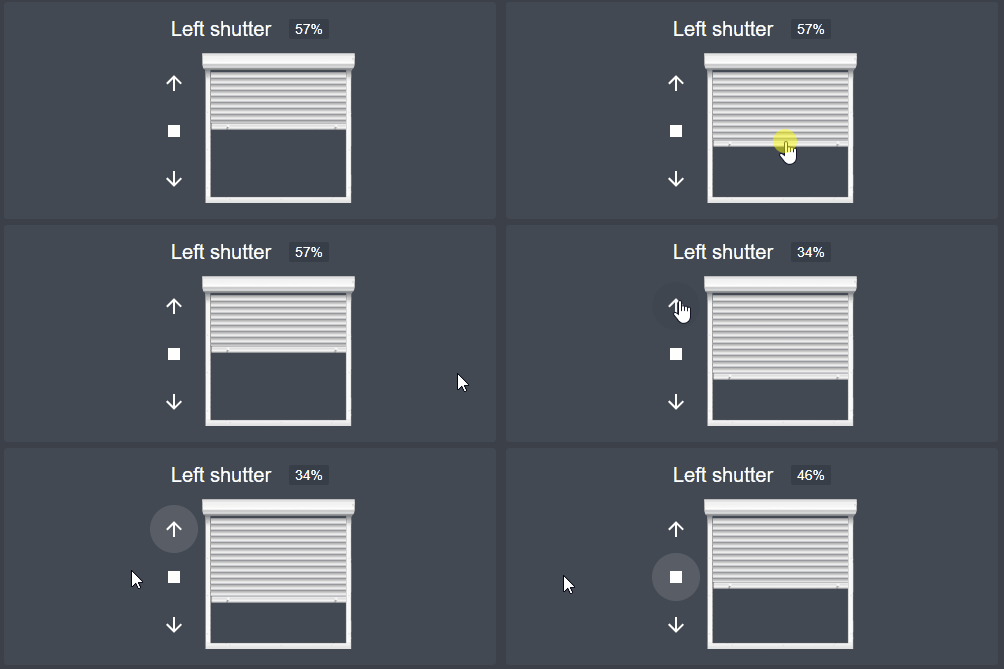
A custom Lovelace card for Home Assistant to control shutters and blinds with ease and style. This project is a fork of hass-shutter-card, with enhancements and improvements tailored for a better user experience.
- Intuitive and modern user interface
- Displays shutter/blind states in real-time
- Fully customizable appearance
- Compatible with various shutter and blind integrations
- Download the
hass-shutter-card.jsfile from the releases section. - Place the file in your Home Assistant configuration directory under
/www/community/hass-shutter-card/. - Add the following to your
resourcesinconfiguration.yamlor through the Home Assistant UI:resources: - url: /local/community/hass-shutter-card/hass-shutter-card.js type: module
- Open the Home Assistant Community Store (HACS).
- Search for
hass-shutter-cardin the Frontend section. - Click "Install" and follow the prompts.
- Add the resource as described above if not added automatically.
Add the following to your Lovelace configuration:
type: custom:shutter-card
title: Küche
entities:
  - entity: cover.rollo_kuche1_vorhang
    name: rechts
    buttons_position: left
    title_position: bottom
    invert_buttonlogic: false
    invert_percentage: true
| Name | Type | Required | Default | Description |
|---|---|---|---|---|
type |
string | True | - | Must be custom:shutter-card. |
title |
string | False | - | Title of the card. |
| Name | Type | Required | Default | Description |
|---|---|---|---|---|
entity |
string | True | - | The shutter entity ID. |
name |
string | False | Friendly name of entity | Name to display for the shutter. |
buttons_position |
string | False | left | Set buttons on left, right, top, or bottom of the shutter. |
title_position |
string | False | top | Set title on top or bottom of the shutter. |
invert_percentage |
boolean | False | false | Set to true if your shutter is 100% when closed and 0% when opened. |
can_tilt |
boolean | False | false | Set to true if your shutters support tilting. |
partial_close_percentage |
int | False | 0 | Percentage (0-100) for a quick "partially closed" state. |
offset_closed_percentage |
int | False | 0 | Percentage (0-100) of travel considered "closed" in the visualization. |
always_percentage |
boolean | False | false | If true, end states (open/closed) will also be displayed as numbers (0/100%). |
shutter_width_px |
int | False | 153 | Shutter visualization width in px, adjustable to fit your layout. |
disable_end_buttons |
boolean | False | false | If true, deactivates direction buttons (e.g., "up" when fully open). |
invert_buttonlogic |
boolean | False | false | If true, up and down are swapped, necessary for certain curtain modules. |
Contributions are welcome! If you have suggestions for improvements, feel free to open an issue or submit a pull request.
This project is licensed under the MIT License. See the LICENSE file for details.