Annotation User Interface Overview

The User Interface for the Annotation Editor is broken into a few main areas:
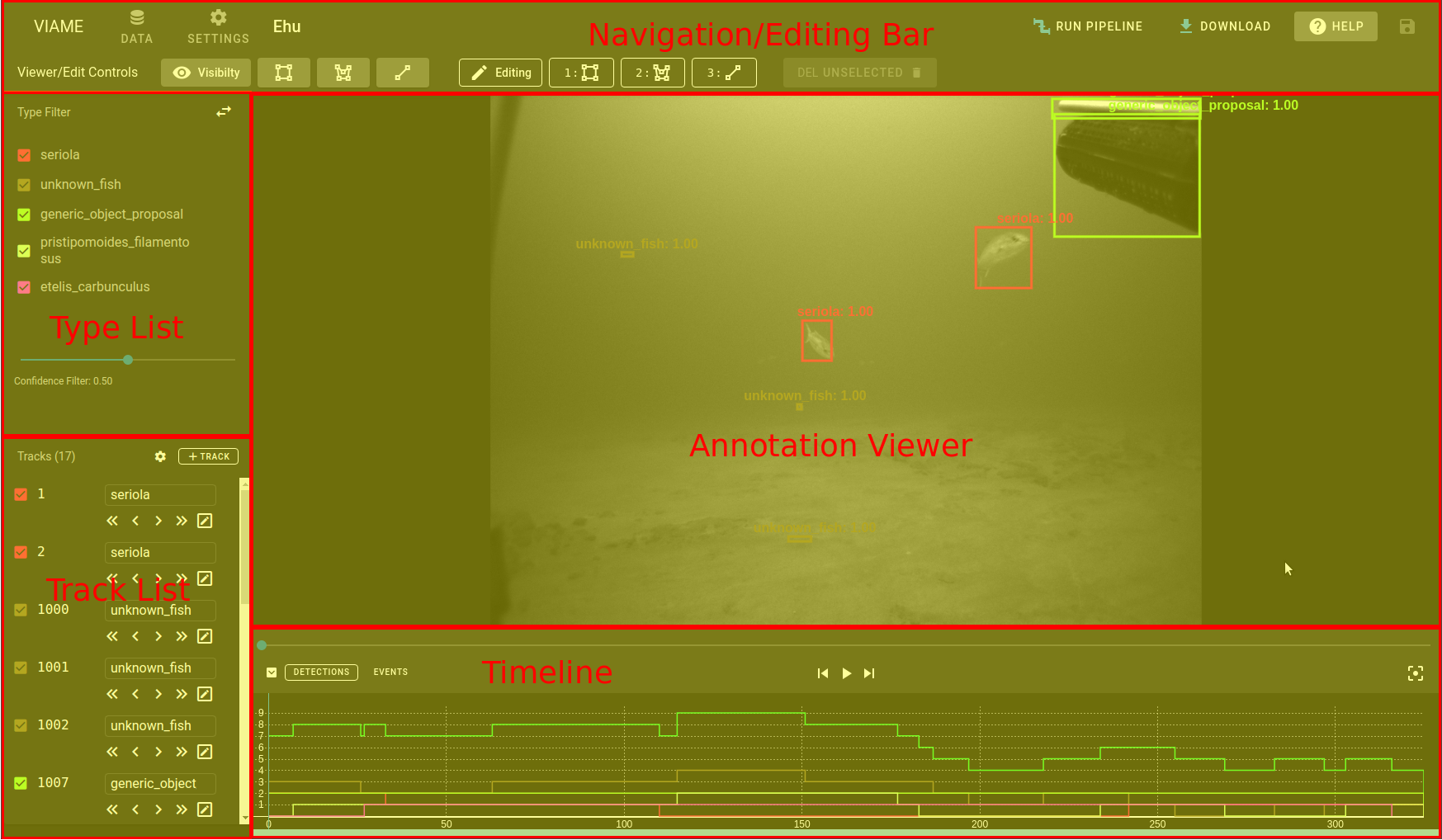
- Navigation Bar - Controls to return back to browser as well as perform higher level functions such as running pipelines. Also the ability to save annotations to the server.
- Edit Bar - Controls the viewing of annotations on screen and allows for the editing/creation of annotations.
- Annotation View - where the image/video is displayed as well as all annotations
- Type List - A list of all the types of tracks/detections on the page that can be used to filter the current view.
- Track List - List of all the tracks as well as providing a way to perform editing functions on those tracks.
- Timeline - timeline view of tracks and detections, as well as an interface to control the current frame along the video/image-sequence
- Attributes - Attributes panel used to assign attributes to individual tracks or detections.