Final project submission for Edureka/DevOps
** On Master Server:**
- Run master_setup.sh on you master VM, this will install all necessary tools needed for starting with the project.
- Manually setup Java and Maven Path in /etc/profile, this will be added to jenkins
- Add sudo/root permission for Jenkins user based on your OS
- Once setup is completed use web browser on host machine "https://<master_server_ip>:8080" to open jenkins a) In Jenkin URL install plugins for Ansible and other dependencies b) Under global configuration setup the path to JDK, Ansible and Git c) In global credential input credentials used for Server, Git etc if needed
- Also to ensure ansible is able to connect to each host, for this we need to setup SSH key and copy the key to respective user folder on slave machine
** On Slave Server:** 6) create path for Jenkins workspace in my case i used and created a node in Jenkins with below working directory #mkdir -p /devOps/jenkins/workspace/ 7) make sure this path is changed in "slave_web_build.yml" for docker to build images.
** On Master Server:**
- Additionally to avoid IPs in inventory i added hosts name and respective ips in /etc/hosts. THis will help name resolution
- Label Master server as masterNode and slave server as slaveNode to match the pipepline script
- Create a jenkins pipline job and use contents of the Jekins_pipeline to create the job
- Execute the piple line job
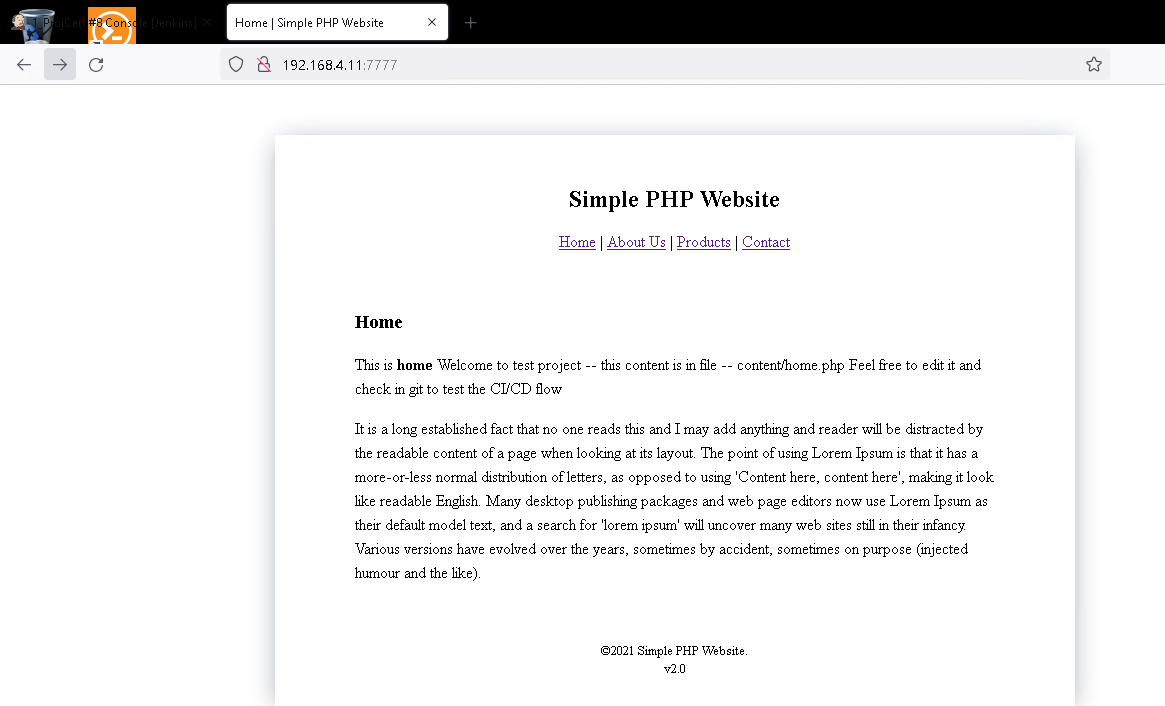
- Once completed access the website using http://<slave_node_ip>:7777
**
**
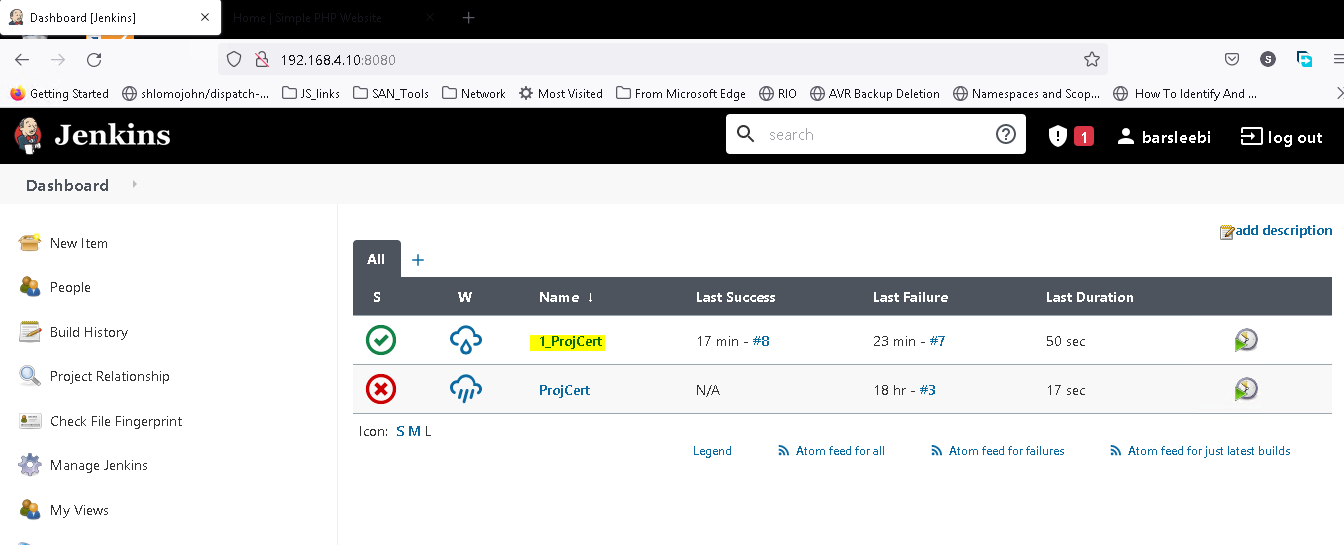
Screenshot 1: Job "1_ProjCert" created
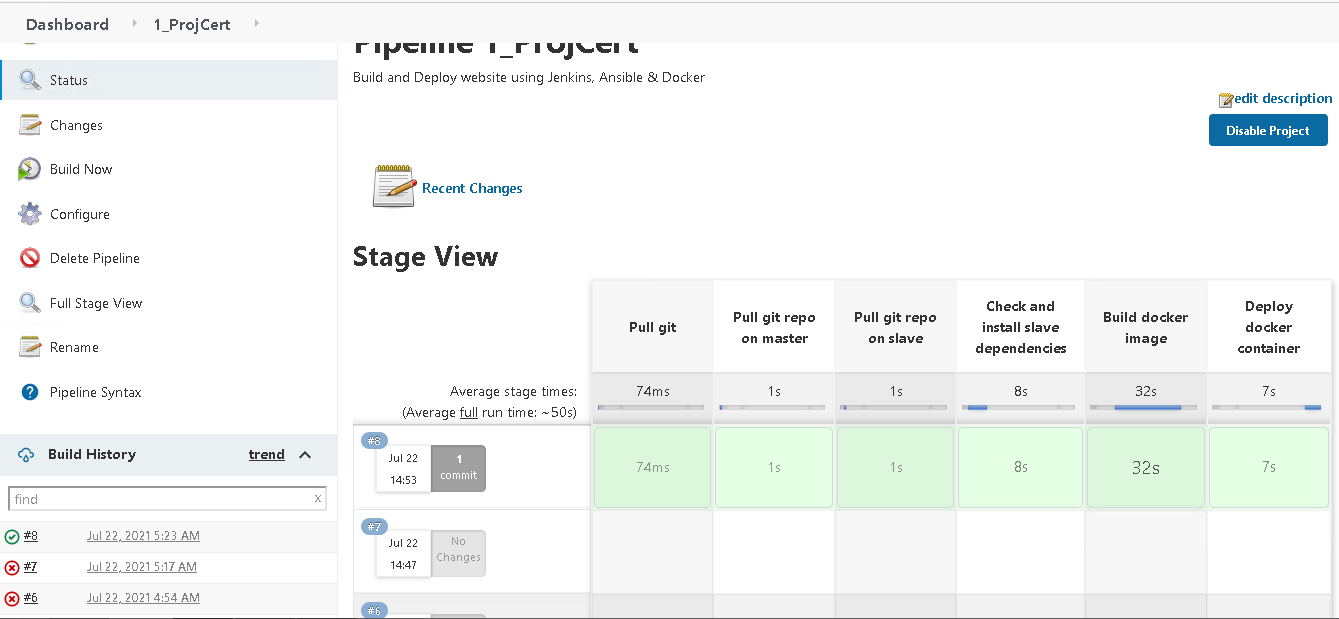
Screenshot 2: Job Executed using pipeline script
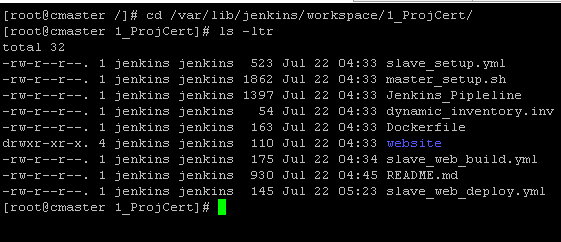
Screenshot 3: Job parallel execution step1 pulled from git repo to master
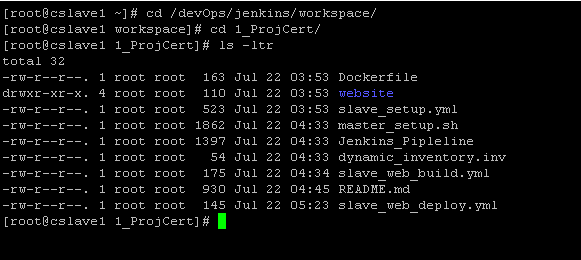
Screenshot 4: Job parallel execution step1 pulled from git repo to slave
Screenshot 5: Job step2 installed dependencies on Slave
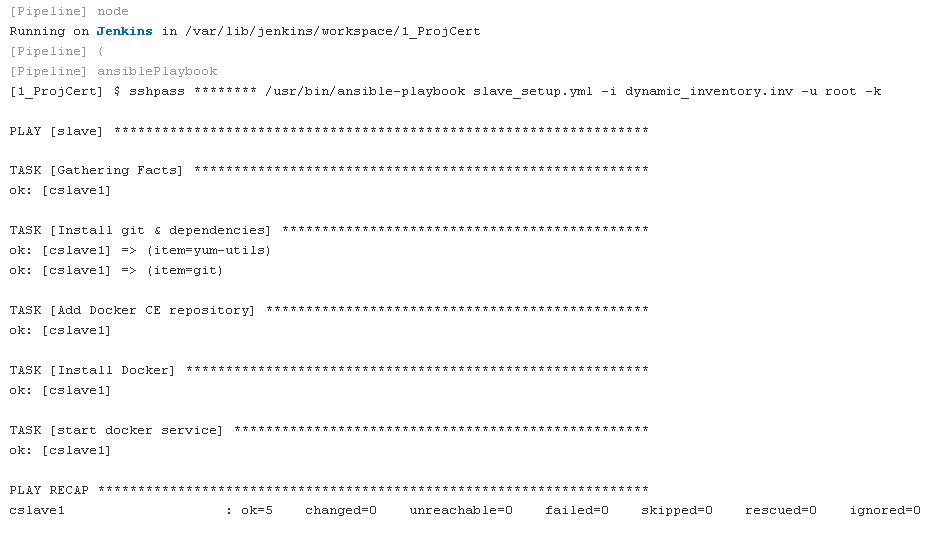
Screenshot 6: Job step3 Docker Image created

Screenshot 7: Job step4 Docker container created and exposed to port 7777

Screenshot 8: Job step5 Website deployed and accessable
Thank you !!!