A mobile game that lets the user play against the a CPU called the Opponent by prompting the user to enter a number at the start. The Opponent will make guesses on what the number is and the user has to tell if the number is higher or lower. The game ends once the oppponent has correctly guessed the number.
You can run the app on your local computer and/or by connecting your mobile phone. For more information on how to run a React Native app, go here.
The following pre-requisites are listed below.
To use this repository you need the following:
- Windows 10 / macOS 10 or higher
- Visual Studio Code One of the following
- Android Studio
- Android or iOS phone
In addition, these packages need to be installed before the app can be run locally:
Clone this repository by copying its HTTPS code and using the git command: git clone https://github.com/benNthen/guess-game.git.
Download the Expo CLI on Play Store(Android only) or App Store(iOS only).
Open VSCode or the command line. Then cd into the working directory of where this repository was downloaded into.
Run this command: npm start. Wait until it has finished loading and QR Code has been displayed on the command line.
Open the Camera app on your mobile phone and scan the QR Code displayed on your computer screen's command line.
Expo Go will load and open the app on your phone.
Follow the documentation here in order to create a mobile emulator / virtual environment through Android Studio's AVD Manager.
Open the command line and type C:\Users\<your-user-name-here>\AppData\Local\Android\Sdk\emulator)
Then type emulator -list-avds. Copy-paste the emulator name of your choice (that you set-up in Android Studio's AVD Manager).
Now enter emulator -avd <paste-emulator-name-here>. Then wait for the emulator to start-up.
Open the app's project folder in Visual Studio Code and type in the command terminal npx react-native run-android.
Enter any number and press Confirm.
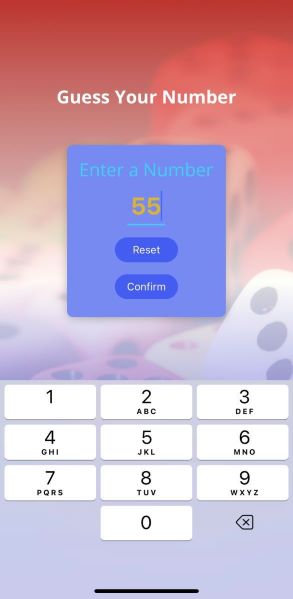
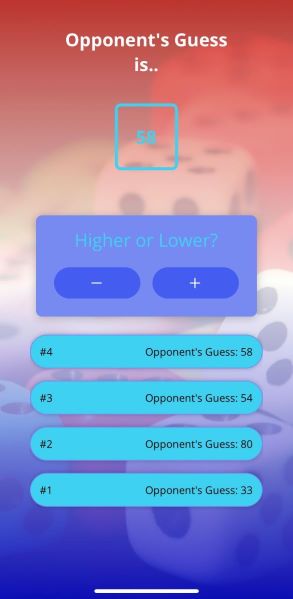
The Opponent will make a Guess on what number it is. The User's role is to tell the opponent whether the number displayed is either lower or higher by pressing either '-' or '+' buttons.
The Opponent will continue to make guesses until it matches the number that the user entered, which will eventually the program to a 'Game Over' (Note: if the User lies, the program can pick this up and a message prompt will appear asking the user to state the correct button.)
On the Game Over screen, the number of rounds along with the number that the user entered will be displayed.