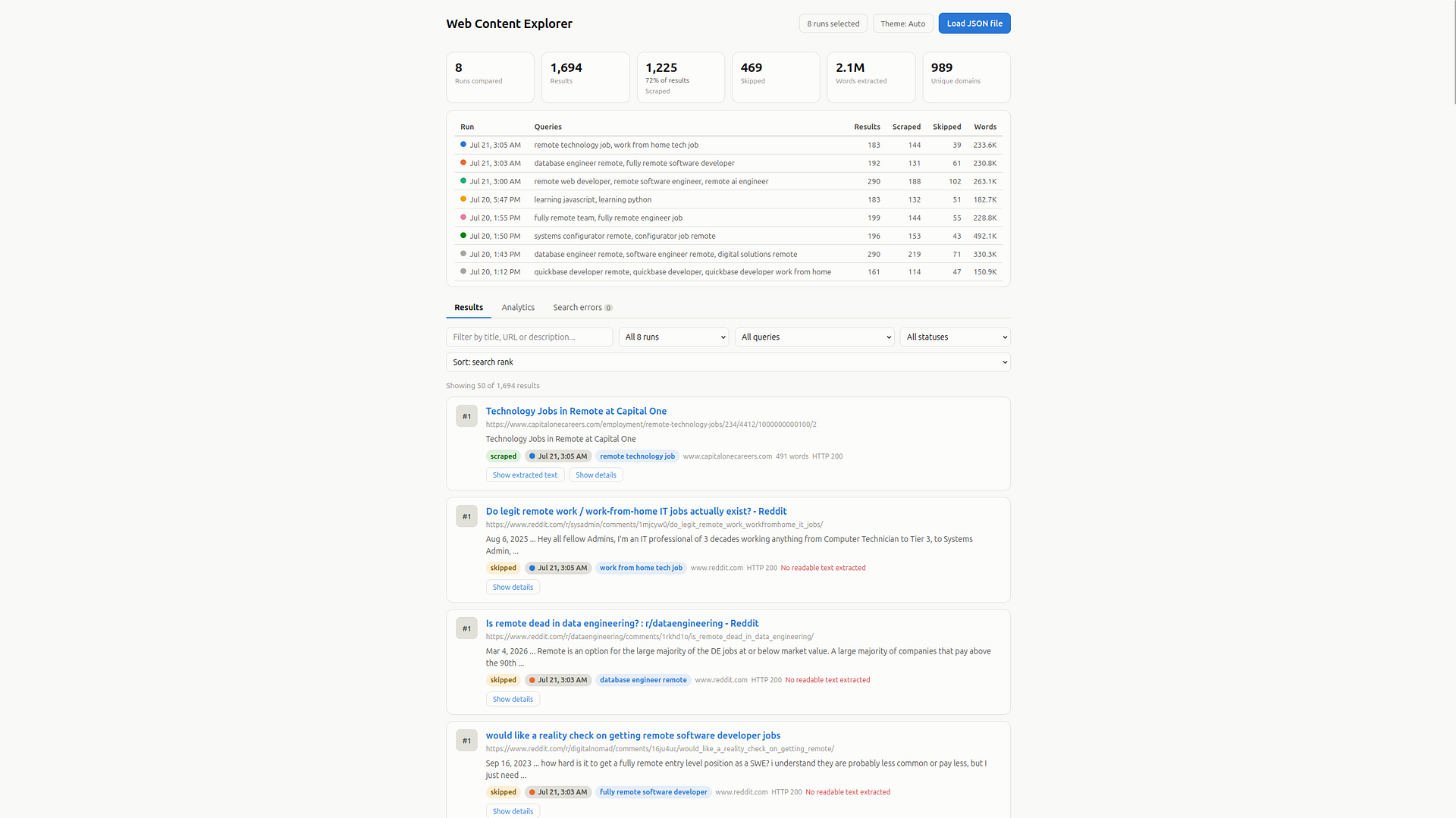
Searches Google's Programmable Search Engine for your query, visits each result's landing page, scrapes the readable text and saves it all to an output folder.
A command-line tool which authenticates against Google's Programmable Search Engine using your API key and search-engine ID. The application then runs each query you provide requesting as many result pages as you specify. The collected result links are normalized and de-duplicated so the same URL is never fetched twice.
From there, a number of concurrent workers visits each landing page, confirming the response is HTML before reading it and parses the markup with BeautifulSoup to extract the page title, meta description and the main readable body text. Pages which are blocked by domain, return errors, aren't HTML or yield no text are recorded as skipped. Everything is written to a single output folder. The project also includes a frontend UI for reviewing what each run collected.
The frontend's Analytics tab can also request an analysis generated by Claude of the scraped pages currently in view. The set of pages submitted respects the Analytics run and query scopes, plus a dedicated search bar on the analysis card that filters pages by title, URL, query or page text. This feature requires launching the UI with python3 serve.py and setting ANTHROPIC_API_KEY in .env.
Below are the required software programs and instructions for installing and using this application on a Linux machine.
-
Install the above programs
-
Open a terminal
-
Clone this repository:
git clone git@github.com:devbret/web-content-finder.git -
Navigate to the repo's directory:
cd web-content-finder -
Create a virtual environment:
python3 -m venv venv -
Activate your virtual environment:
source venv/bin/activate -
Install the needed dependencies:
pip install -r requirements.txt -
Create your configuration file from the template:
cp .env.template .env -
Add values to variables in the
.envfile:nano .env -
Run the program:
python3 app.py -
Start a local web server:
python3 serve.py -
Visit the frontend UI in your browser:
http://localhost:8000 -
When finished, stop the web server:
Ctrl+C -
Exit the virtual environment:
deactivate
This project repo is intended to demonstrate an ability to do the following:
-
Query Google's Programmable Search Engine for one or more search terms and scrape the readable text from every result's landing page
-
Normalize result URLs by stripping tracking parameters and rely on a pool of concurrent workers to fetch each page
-
Use
BeautifulSoupto extract the page title, meta description and main body text, saving each page as an individual.txtfile -
Record each result's search rank, HTTP status, content hash, word count and skip reason
-
Stream a Claude-written analysis of any selection of scraped pages into the Analytics tab
If you have any questions or would like to collaborate, please reach out either on GitHub or via my website.