



A bevy plugin that adds a simple smooth pixel camera.
It works by rendering the main camera to a small viewport which is then rendered by a second camera spawned by the plugin. This allows for hybrid rendering of both a pixelated world and high resolution assets on top.
This plugin has a smoothing feature, which makes the camera's movement appear smooth while keeping the world itself locked
to a pixel grid. It works by moving the canvas in the opposite direction of the world camera's subpixel position. See the
how_smoothing_works example for a demonstration of how it works behind the scenes.
| Smoothing OFF | Smoothing ON |
|---|---|
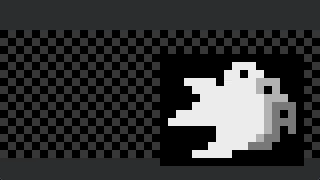 |
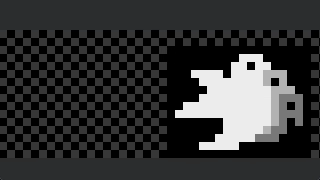 |
-
Add the
bevy_smooth_pixel_cameracrate to your project.cargo add bevy_smooth_pixel_camera
-
Add the
PixelCameraPluginand setImagePlugintodefault_nearest.use bevy::prelude::*; use bevy_smooth_pixel_camera::prelude::*; App::new() .add_plugins(( DefaultPlugins.set(ImagePlugin::default_nearest()), PixelCameraPlugin, )) .run();
-
Add a
PixelCamerato your world.use bevy::prelude::*; use bevy_smooth_pixel_camera::prelude::*; fn setup(mut commands: Commands) { commands.spawn(PixelCamera::from_size(ViewportScalingMode::PixelSize(4.0))); }
-
That's it!
picking (default) - Enables picking through the viewport.
| bevy | bevy_smooth_pixel_camera |
|---|---|
| 0.18.* | 0.4.x - main |
| 0.13.* | 0.3.0 |
| 0.12.* | 0.1.0 - 0.2.1 |

