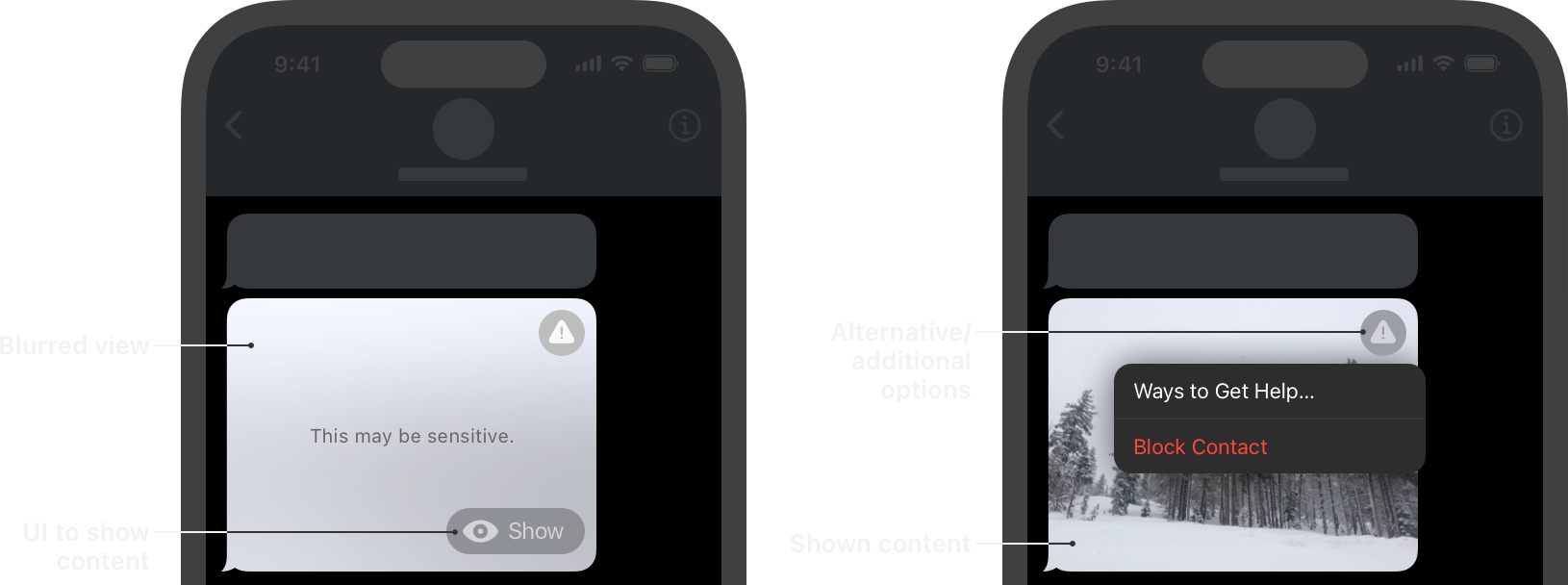
Provide a safer experience in your app by detecting and alerting users to nudity in images and videos before displaying them onscreen.



Flutter package for interacting with Apple's SensitiveContentAnalysis Framework.
Lower deployment versions may be targeted, however, it's important to note that the SCA Framework is exclusively compatible with:
- iOS/iPadOS
>=17.0 - macOS
>=14.0
- In order to maintain the package's lightweight nature and grant you complete control over your UI's appearance, this package intentionally refrains from incorporating an overlay or blur feature.
- The framework only works on physical devices. #3
The OS requires the com.apple.developer.sensitivecontentanalysis.client
entitlement in your app’s code signature to use SensitiveContentAnalysis. Calls
to the framework fail to return positive results without it. You can can add
this entitlement to your app by enabling the Sensitive Content Analysis
capability in Xcode.
<key>com.apple.developer.sensitivecontentanalysis.client</key>
<array>
	<string>analysis</string>
</array>For testing purposes, Apple offers a test profile that enables you to evaluate the frameworks functionality without the necessity of installing actual NSFW content.

try {
      AnalysisPolicy? policy = await sca.checkPolicy();
      _showResultDialog("Policy Check", "Policy: ${policy?.name}");

      switch (policy) {
        case .descriptiveInterventions:
          debugPrint(
            "⚠️ Descriptive interventions with richer guidance are suggested.",
          );
          break;
        case .simpleInterventions:
          debugPrint("⚠️ Simple interventions (e.g. blurring) are suggested.");
          break;
        case .disabled:
        default:
          debugPrint(
            "⚠️ Sensitive content analysis is DISABLED. Check entitlement + device settings.",
          );
          break;
      }
    } catch (e) {
      _showResultDialog("Error", e.toString());
} try {
final ImagePicker picker = ImagePicker();
// Pick an image.
final XFile? image = await picker.pickImage(source: ImageSource.gallery);
if (image != null) {
Uint8List imageData = await image.readAsBytes();
// Analyze the image for sensitive content.
SensitivityAnalysisResult? isSensitive =
await sca.analyzeImage(imageData);
_showResultDialog(
"Analysis Result", "SENSITIVE: ${isSensitive?.isSensitive}");
}
} catch (e) {
_showResultDialog("Error", e.toString());
} try {
const url =
"https://docs-assets.developer.apple.com/published/517e263450/rendered2x-1685188934.png";
// Analyze the image for sensitive content.
SensitivityAnalysisResult? isSensitive =
await sca.analyzeNetworkImage(url: url);
_showResultDialog(
"Analysis Result", "SENSITIVE: ${isSensitive?.isSensitive}");
} catch (e) {
_showResultDialog("Error", e.toString());
} try {
Dio dio = Dio();
Directory tempDir = await getTemporaryDirectory();
const url = "https://developer.apple.com/sample-code/web/qr-sca.mov";
final videoName = p.basename(url);
final file = File("${tempDir.path}/$videoName");
final response = await dio.download(url, file.path);
if (response.statusCode == 200) {
SensitivityAnalysisResult? isSensitive =
await sca.analyzeVideo(url: file.path);
_showResultDialog(
"Analysis Result", "SENSITIVE: ${isSensitive?.isSensitive}");
await file.delete();
}
} catch (e) {
_showResultDialog("Error", e.toString());
} try {
FilePickerResult? selectedFile = await FilePicker.pickFiles(
allowMultiple: false,
type: FileType.video,
);
if (selectedFile != null) {
SensitivityAnalysisResult? isSensitive =
await sca.analyzeVideo(url: selectedFile.files.first.path!);
_showResultDialog(
"Analysis Result", "SENSITIVE: ${isSensitive?.isSensitive}");
}
} catch (e) {
_showResultDialog("Error", e.toString());
}Note
Please refer to the video_stream_analyzer example.
All analyze methods return a SensitivityAnalysisResult object:
class SensitivityAnalysisResult {
  final bool isSensitive;
  final List<String> detectedTypes;
  final bool shouldIndicateSensitivity;
  final bool shouldInterruptVideo;
  final bool shouldMuteAudio;
}isSensitive: whether the content was flagged as sensitivedetectedTypes: list of detected content categories, e.g."sexuallyExplicit"or"goreOrViolence". Empty on devices running below iOS 27+/ipadOS 27+/macOS 27+.shouldIndicateSensitivity: App should indicate the presence of sensitive content to the user. Available on iOS/ipadOS 26+ always false on older OS versionsshouldInterruptVideo: App should interrupt video playback. Available on iOS/ipadOS 26+ always false on older OS versions.shouldMuteAudio: App should mute the audio of the current video stream. Available on iOS/ipadOS 26+ always false on older OS versions.
Unlike with other ML models, the SensitiveContentAnalysis Framework:
- Does not return a list of probabilities.
- Does not allow additional training and finetuning.
- Is not open source.
- Only works with Apple devices. (iOS 17.0+, macOS 14.0+, Mac Catalyst 17.0+, iPadOS 17.0+)
Notice: This package was initally created to be used in-house, as such the development is first and foremost aligned with the internal requirements.
