Acoustic direction finding, IFF classification, and real-time battlefield awareness — all from an Arduino Nano.
Two microphones detect sound. Physics calculates direction. A servo points at the source. An IR system identifies friend or foe. A browser-based radar shows everything live.
No GPS. No cameras. No complex processors. Just sound, math, and IR light.
| Video | Description |
|---|---|
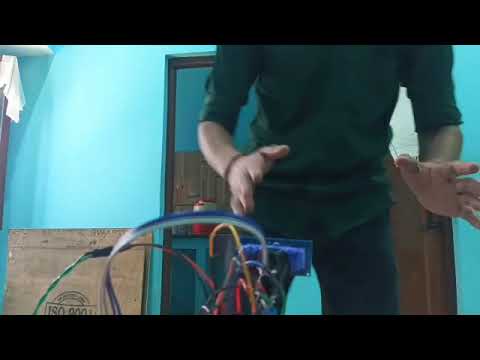 |
Acoustic direction finding in action — servo tracking sound |
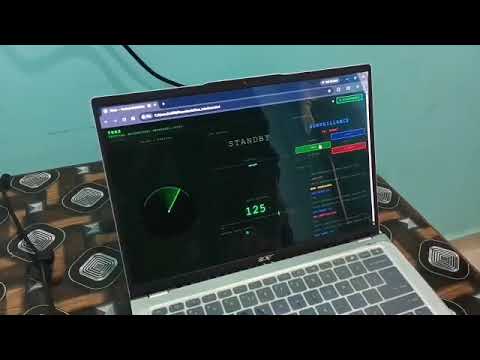 |
Complete TBAS explanation in Hinglish |
| Photo | Description |
|---|---|
 |
All components mounted on zero board |
 |
Arduino Nano and wiring closeup |
 |
Full circuit schematic |
| Property | Value |
|---|---|
| MCU | Arduino Nano (ATmega328P) |
| Acoustic Method | TDOA (Time Difference of Arrival) |
| Microphone Spacing | 28 cm |
| IFF Protocol | NEC IR, dynamic rolling code |
| Servo Range | 25° — 155° |
| Web Interface | Chrome/Edge Web Serial API |
| Operating Modes | 4 (Manual, Surveillance, Servo Test, Acoustic) |
Sound Event
  → Electret Mics (×2, 28cm apart)
  → LM393 Dual Comparator
  → Arduino Hardware Interrupts (D2, D3)
  → TDOA Calculation → asin() angle formula
  → Servo Rotates to Angle (D12)
  → TSOP1838 IR Receiver checks IFF (D4)
  → IR LED sends rolling code response (D5)
  → RGB LED local indicator (A3/A4/A5)
  → Serial Output → Web Interface (Chrome)
Sound direction is calculated using the inverse sine of the time difference:
angle = asin( 343 × Δt / 0.28 ) × (180 / π) + 90°
Where Δt is the time difference in seconds between the two microphone triggers. The result maps to a servo angle between 25° and 155°, with 90° as dead center. Any TDOA value exceeding 816 µs (the physical maximum at 28 cm spacing) is discarded as reflection or noise.
| Mode | Color | Description |
|---|---|---|
| MANUAL | Yellow | Servo controlled by buttons. IFF runs on button release. |
| SURVEILLANCE | Blue | Servo sweeps to random positions. IFF checked twice at each stop. |
| SERVO TEST | Cyan | TDOA values and angles printed to serial. Calibration mode. |
| ACOUSTIC | Green | Waits for sound, calculates angle, points servo, runs IFF. 5s lockout after detection. |
Switch modes by holding both buttons for >500ms. Double-click both to toggle Friend/Enemy TX mode.
Uses NEC protocol IR communication at 38 kHz with a dynamic rolling code instead of a fixed static code.
code = ( KEY × counter + 5 ) mod 256
Both units share the same KEY (7) and maintain a synchronized counter. The counter increments on every successful Friend exchange, so the code changes every cycle. An intercepted code cannot be replayed because the expected code has already advanced.
| Result | Condition | RGB |
|---|---|---|
| FRIEND | Received code matches expected rolling code | Green solid |
| ENEMY | Received code present but wrong | Red solid |
| NO RESPONSE | No valid IR within timeout window | Blue solid |
Browser-based radar display using Web Serial API — no drivers, no server, no installation.
Requirements: Chrome or Edge (Firefox/Safari not supported)
| Panel | Description |
|---|---|
| RADAR / BEARING | Animated radar showing servo sweep and color-coded detection markers |
| IFF STATUS | Large IFF result display with distance, rolling code counter, progress bar |
| SYSTEM MODE | Current mode display with buttons to switch mode and TX mode |
| SERVO BEARING | Numeric angle with needle indicator and manual angle slider |
| EVENT LOG | Timestamped color-coded log of all serial events |
Open web/tbas_interface.html in Chrome or Edge, click Connect, select the Arduino COM port.
| Pin | Function |
|---|---|
| D2 | Mic 1 interrupt — RISING edge |
| D3 | Mic 2 interrupt — RISING edge |
| D4 | TSOP1838 IR receiver |
| D5 | IR LED transmit |
| D8 | Button Left (INPUT_PULLUP) |
| D9 | Button Right (INPUT_PULLUP) |
| D10 | TM1637 CLK (optional) |
| D11 | TM1637 DIO (optional) |
| D12 | Servo PWM |
| A3 | RGB Red — 220Ω series |
| A4 | RGB Green — 220Ω series |
| A5 | RGB Blue — 220Ω series |
| Component | Qty | Notes |
|---|---|---|
| Arduino Nano | 1 | ATmega328P |
| Electret microphone | 2 | With LM393 comparator board |
| LM393 dual comparator | 1 | On mic modules |
| Servo motor | 1 | Standard micro servo |
| TSOP1838 IR receiver | 1 | 38 kHz, mounted on servo |
| IR LED | 1 | 940nm, with 100Ω series resistor |
| RGB LED | 1 | Common cathode, 220Ω series resistors |
| Tactile buttons | 2 | Momentary, normally open |
| 10kΩ resistors | 4 | Mic bias + pullups |
| 220Ω resistors | 3 | RGB LED series |
| 100µF capacitor | 1 | Across servo power pins |
| 100nF capacitor | 1 | TSOP1838 decoupling |
| HC-SR04 ultrasonic | 1 | Distance measurement (optional) |
Microphone circuit: Mic (+) connects to IN+ (Pin 3) of LM393. Pot wiper connects to IN− (Pin 2). This is opposite to typical comparator tutorials. Interrupt must be RISING not FALLING.
Power: Servo draws significant current on movement. Use a 100µF electrolytic capacitor across servo power pins. Power from laptop USB is sufficient for lab use. For field deployment, use a power bank — do not use phone OTG directly with servo.
TSOP1838 pinout: With flat face toward you, pins left to right: OUT — GND — VCC. No resistor needed on signal pin. 100nF decoupling cap recommended between VCC and GND.
| Command | Action |
|---|---|
PING |
Heartbeat — Arduino responds PONG |
STATUS |
Request full status dump |
MODE:MANUAL |
Switch to Manual mode |
MODE:SURV |
Switch to Surveillance mode |
MODE:ACO |
Switch to Acoustic mode |
MODE:TEST |
Switch to Servo Test mode |
TX:FRIEND |
Set Friend transmit mode |
TX:ENEMY |
Set Enemy transmit mode |
ANGLE:XXX |
Move servo to angle (Manual mode only) |
| Color | Meaning | Pattern |
|---|---|---|
| Magenta | Manual mode active | Solid |
| Blue | Surveillance mode active | Solid |
| Cyan | Acoustic mode — waiting | Slow blink |
| Yellow | Mode changed | Blink ×2 |
| Green | Friend TX mode / IFF Friend | Blink ×2 / Solid 3s |
| Red | Enemy TX mode / IFF Enemy | Blink ×2 / Solid 3s |
| Blue | IFF No Response | Solid 3s |
| Cyan | Acoustic lockout active | Blink 5s |
TBAS/
├── firmware/
│   └── TBASFINAL/
│       └── TBASFINAL.ino      # Arduino firmware
├── web/
│   ├── index.html              # Documentation page
│   └── tbas_interface.html     # Live radar web interface
├── media/                      # Photos and videos
├── docs/                       # Additional documentation
├── README.md
└── LICENSE
Harish Chand — B.Tech ECE, HNB Garhwal University
MIT License — Use freely, build your own, share what you make.